Build beautifully.
A tiny window into a fictional product landing page — cards, gradients, and plenty of empty space.
An iPhone-style frame with a dynamic island, rounded bezel, and a colorful gradient app UI on the screen. Perfect for mobile-first product hero sections.
Your schedule is clear today. Time to build something beautiful.

<!-- OPTION A: Styled app UI (gradient + fake content) -->
<div class="phone-modern">
  <div class="power-btn"></div>
  <div class="screen">
    <div class="island"></div>
    <div class="status-bar"><span>9:41</span><span>100%</span></div>
    <div class="app-title">Hello,<br/>Good morning.</div>
    <div class="app-body">
      <p>Your schedule is clear today. Time to build something beautiful.</p>
      <div class="cta">Start creating</div>
    </div>
    <div class="screen-gloss"></div>
  </div>
</div>

<!-- OPTION B: Drop in your own photo or screenshot -->
<div class="phone-modern">
  <div class="power-btn"></div>
  <div class="screen">
    <div class="island"></div>
    <!-- YOUR IMAGE: replace src with your file path -->
    <img class="screen-img" src="your-screenshot.jpg" alt="app"/>
    <div class="screen-gloss"></div>
  </div>
</div>
A MacBook-inspired laptop frame — screen plus a thin base that reads as a hinge and keyboard tray. The screen holds a web app dashboard with a mini bar chart.

<div class="laptop">
  <div class="screen-frame">
    <div class="screen">
      <!-- YOUR IMAGE: replace src with your own screenshot -->
      <img class="screen-img"
           src="your-screenshot.jpg"
           alt="dashboard"/>
      <div class="screen-gloss"></div>
    </div>
  </div>
  <div class="base"></div>
</div>

<!-- You can also skip the image and build real HTML -->
<!-- inside .screen (headings, charts, etc). -->
A 3:4 tablet frame with a thin uniform bezel and a tiny camera dot on the top edge. Perfect for showcasing a reading app, magazine, or photo-forward UI.
The light moved across the wall slowly, as it always does this time of year — measured, almost reverent. A cup of coffee grew cold on the desk.

<div class="tablet">
  <div class="screen">
    <div class="eyebrow">Chapter Three</div>
    <h3>Notes from a<br/>quiet morning</h3>
    <p>The light moved across the wall slowly, as it always does this time of year — measured, almost reverent. A cup of coffee grew cold on the desk.</p>
    <div class="grid">
      <div></div><div></div>
      <div></div><div></div>
    </div>
  </div>
</div>
A macOS-style browser chrome with traffic-light dots and a URL bar. Useful for showing marketing websites, landing pages, or web app screenshots.
A tiny window into a fictional product landing page — cards, gradients, and plenty of empty space.

<!-- OPTION A: styled content -->
<div class="browser">
  <div class="titlebar">
    <div class="dot red"></div>
    <div class="dot yellow"></div>
    <div class="dot green"></div>
    <div class="tab">your-brand.com</div>
    <div class="urlbar">your-brand.com / features</div>
  </div>
  <div class="content">
    <h1>Build beautifully.</h1>
    <p>A tiny window into a fictional product landing page — cards, gradients, and plenty of empty space.</p>
    <div class="cards"><div></div><div></div><div></div></div>
  </div>
</div>

<!-- OPTION B: drop in a full screenshot of your own site -->
<div class="browser">
  <div class="titlebar">
    <div class="dot red"></div>
    <div class="dot yellow"></div>
    <div class="dot green"></div>
    <div class="tab">portfolio</div>
    <div class="urlbar">mysite.com</div>
  </div>
  <img class="screen-img" src="your-site.jpg" alt="website screenshot"/>
</div>
A laptop with a phone overlapping it in the lower right — the classic "responsive across devices" shot. Uses position:absolute to float the phone over the laptop.

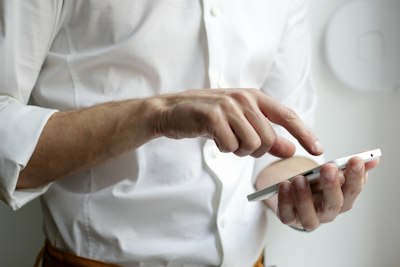
<div class="combo">
  <div class="combo-laptop">
    <div class="screen-frame">
      <div class="screen">Your App</div>
    </div>
    <div class="base"></div>
  </div>
  <div class="combo-phone">
    <div class="screen">mobile</div>
  </div>
</div>
Three phones arranged with 3D perspective — outer phones tilt inward, center phone sits forward and raised. Great for showcasing three screens or features at once.
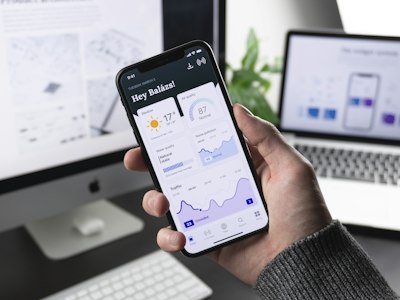

<div class="trio">
  <div class="t-phone left">
    <div class="screen">Feature one</div>
  </div>
  <div class="t-phone center">
    <div class="screen">Main feature</div>
  </div>
  <div class="t-phone right">
    <div class="screen">Feature three</div>
  </div>
</div>