Hero Layouts
Designed for
the way you live.
Thoughtfully crafted products that blend into your life seamlessly. Built to last. Made to inspire.
Work smarter.
Live better.
The tools you need, designed the way you want. Productivity starts here.
Build things
that matter.
Every project is a chance to create something real. Learn the craft. Ship the work. Make your mark.
Fresh flavors,
delivered daily.
Farm-to-table ingredients sourced from local growers. Ready to cook in 15 minutes or less.
Vertical Storytelling

I write code that
looks like design.
Clean HTML structure, precise CSS, and just enough JavaScript. Every line serves a purpose. Nothing wasted, nothing missing.
See my projects →
Every screen.
Every device.
Mobile-first layouts that adapt gracefully from the smallest phone to the widest monitor. Tested at every breakpoint.
Learn about my process →Deployed live.
On the real internet.
Not just a file on your desktop — a real website with a real URL, deployed on Netlify, accessible to anyone in the world.
View Live Sites
The details are the design.
Hover effects, transitions, spacing, hierarchy — everything deliberate. Because great design is felt, not just seen.
Text + Image Side-by-Side
Built with purpose,
designed with care.
A fully responsive portfolio built from scratch in Your Class. No templates. No shortcuts. Just clean code and good decisions.
- HTML5 semantic structure
- CSS Grid and Flexbox layouts
- Mobile responsive at every breakpoint
- Deployed live on Netlify
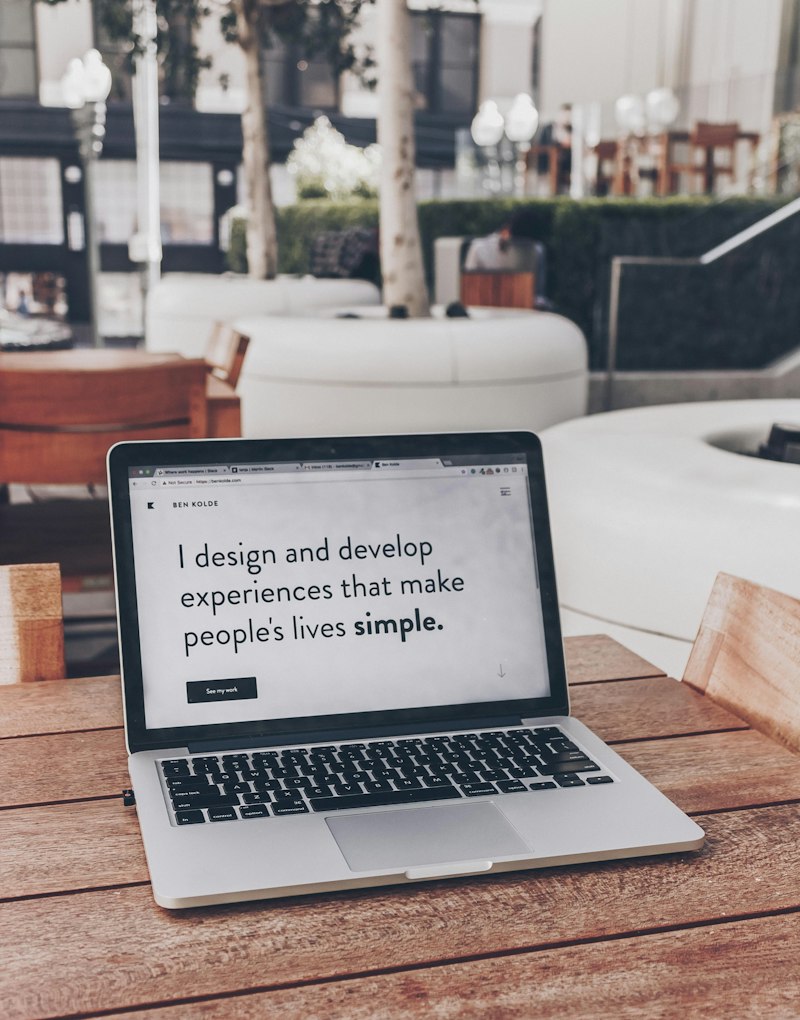
A semester of
real work.
Every project, every line of code, every deployment — here's what I built in Your Class Web Design.
View All Projects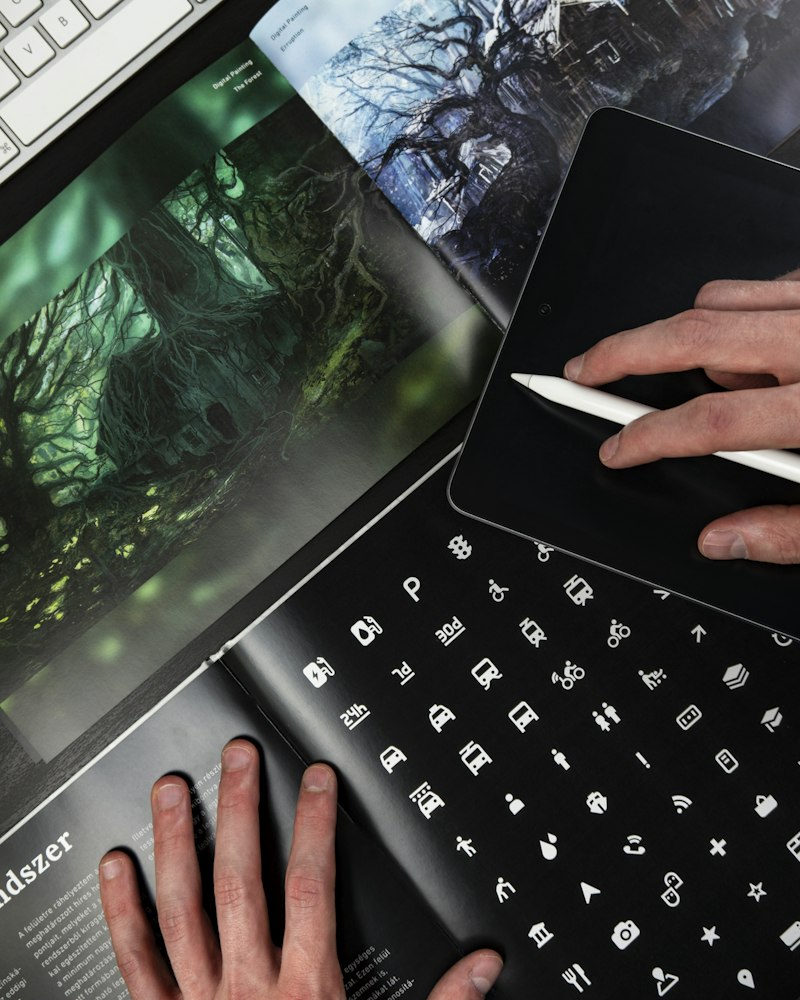
All Types of Cards
 SALE
SALE
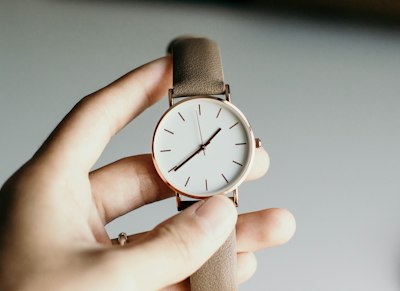
 NEW
NEW
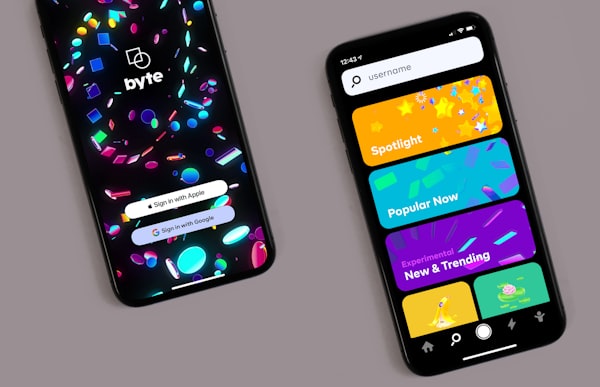
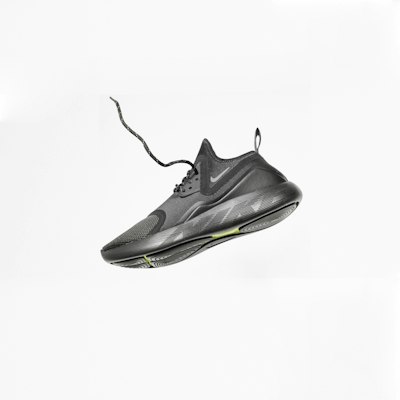 HOT
HOT





- 5 projects
- 10GB storage
- Basic analytics
- Email support
- Unlimited projects
- 100GB storage
- Advanced analytics
- Priority support
- Custom domain
- Everything in Pro
- 1TB storage
- SSO & security
- Dedicated manager







Boxes & Bento Grids







Projects
View all of your current projects and their progress.
Schedule
Upcoming deadlines and important dates.
Messages
Recent conversations and team updates.
Resources
Tutorials, documentation, and helpful links.
Typography on Home Pages
Code.
Deploy.
on the internet
for a living.
the web.
not just mockups.
typography
works.
Landing Page vs. Home Page
Landing Page
- One specific goal — sign up, buy, register, book
- Minimal or no navigation, so there are fewer ways to leave
- Usually reached from an ad, email, or campaign link
- One strong call-to-action, repeated down the page
- A focused message aimed at one audience
- Measured by conversions
Home Page
- Many goals — introduce the whole brand
- Full navigation to every part of the site
- Reached by typing the URL or searching the brand name
- Several CTAs pointing to different areas
- Speaks to all kinds of visitors at once
- Measured by exploration & wayfinding
Start building your first page today.
No credit card, no setup. Launch a live site in minutes and share the link.
Get Started Free Join 12,000+ people already building.What the best sites look like
Clean & uncluttered
One clear idea per screen with generous whitespace, so nothing competes for attention.
Strong hierarchy
Big, high-contrast headlines guide the eye; size and weight signal what matters most.
Restrained color
A tight palette plus one confident accent. Color is used to mean something, not decorate.
One obvious CTA
A single, clear action with a high-contrast button — the page knows what it wants you to do.
Emotional warmth
Illustration, human photos, or soft shapes make even technical products feel approachable.
Purposeful motion
Subtle animation enhances the flow and adds depth — it never overwhelms the content.
Money, made friendly.
Soft colors and rounded shapes take the stress out of a serious topic.
Try it freeDesigned to be
remembered.
A big serif headline on near-black reads as gallery-grade and premium.
Make it loud.
Make it yours.
When the type is this big and expressive, it becomes the whole design.
The whole thing as one file
index.html, open it in a browser, and it just works — no external stylesheet, no build step. Here's the live result, then the full code.Live preview
Complete HTML — copy this whole file
<!DOCTYPE html>
<html lang="en">
<head>
<meta charset="UTF-8">
<meta name="viewport" content="width=device-width, initial-scale=1.0">
<title>Landing Page</title>
<style>
/* ===== Reset ===== */
*,*::before,*::after { box-sizing: border-box; margin: 0; padding: 0; }
html { scroll-behavior: smooth; }
img { max-width: 100%; display: block; }
body { font-family: -apple-system, BlinkMacSystemFont, 'Segoe UI', Roboto, sans-serif; color: #1f2433; background: #fff; line-height: 1.6; }
a { text-decoration: none; }
/* ===== Sticky navbar ===== */
.navbar {
position: sticky; top: 0; z-index: 50;
display: flex; align-items: center; justify-content: space-between;
padding: 14px 28px; background: rgba(255,255,255,.85);
backdrop-filter: blur(10px); border-bottom: 1px solid #eef0f4;
}
.navbar .brand { font-weight: 800; font-size: 1.15rem; color: #0f0f14; }
.navbar .brand span { color: #6366f1; }
.navbar .links { display: flex; gap: 26px; align-items: center; }
.navbar .links a { color: #4b5563; font-size: .9rem; font-weight: 500; }
.navbar .links a:hover { color: #0f0f14; }
.navbar .cta { background: #6366f1; color: #fff; padding: 9px 18px; border-radius: 8px; font-weight: 600; }
.navbar .cta:hover { background: #4f46e5; }
.burger {
display: none; flex-direction: column; gap: 4px;
background: none; border: none; cursor: pointer; padding: 6px;
}
.burger span { width: 22px; height: 2px; background: #0f0f14; border-radius: 2px; }
/* ===== Hero ===== */
.hero {
text-align: center; padding: 90px 24px 80px;
background: linear-gradient(135deg, #eef2ff 0%, #faf5ff 100%);
}
.hero .eyebrow {
display: inline-block; font-size: .72rem; font-weight: 700;
letter-spacing: .14em; text-transform: uppercase; color: #6366f1;
background: #e0e7ff; padding: 6px 16px; border-radius: 999px; margin-bottom: 20px;
}
.hero h1 { font-size: clamp(2.2rem, 5vw, 3.6rem); line-height: 1.08; color: #0f0f14; margin-bottom: 18px; }
.hero p { font-size: 1.1rem; color: #556; max-width: 540px; margin: 0 auto 30px; }
.hero .btns { display: flex; gap: 12px; justify-content: center; flex-wrap: wrap; }
.btn-primary { background: #6366f1; color: #fff; padding: 13px 30px; border-radius: 10px; font-weight: 600; transition: transform .2s; }
.btn-primary:hover { transform: translateY(-2px); background: #4f46e5; }
.btn-ghost { color: #374151; padding: 13px 30px; border-radius: 10px; font-weight: 600; border: 1.5px solid #d6d9e0; }
.btn-ghost:hover { border-color: #0f0f14; }
/* ===== Feature card grid ===== */
.features { max-width: 1080px; margin: 0 auto; padding: 80px 24px; }
.section-head { text-align: center; margin-bottom: 48px; }
.section-head h2 { font-size: clamp(1.8rem, 3vw, 2.6rem); color: #0f0f14; margin-bottom: 10px; }
.section-head p { color: #6b7280; max-width: 480px; margin: 0 auto; }
.grid { display: grid; grid-template-columns: repeat(3, 1fr); gap: 22px; }
.card { background: #fff; border: 1px solid #eef0f4; border-radius: 18px; padding: 28px; transition: transform .3s, box-shadow .3s; }
.card:hover { transform: translateY(-5px); box-shadow: 0 16px 36px rgba(0,0,0,.08); }
.card .icon { width: 48px; height: 48px; border-radius: 12px; background: #eef2ff; color: #6366f1; display: flex; align-items: center; justify-content: center; font-size: 1.4rem; margin-bottom: 16px; }
.card h3 { font-size: 1.05rem; color: #0f0f14; margin-bottom: 8px; }
.card p { font-size: .9rem; color: #666; }
/* ===== Split section ===== */
.split { display: grid; grid-template-columns: 1fr 1fr; align-items: center; gap: 56px; max-width: 1080px; margin: 0 auto; padding: 40px 24px 80px; }
.split-img { border-radius: 18px; overflow: hidden; aspect-ratio: 4/3; }
.split-img img { width: 100%; height: 100%; object-fit: cover; }
.split .tag { display: inline-block; font-size: .7rem; font-weight: 700; letter-spacing: .1em; text-transform: uppercase; color: #10b981; background: #d1fae5; padding: 4px 12px; border-radius: 4px; margin-bottom: 16px; }
.split h2 { font-size: clamp(1.6rem, 2.8vw, 2.3rem); color: #0f0f14; margin-bottom: 14px; }
.split p { color: #556; margin-bottom: 20px; }
.split ul { list-style: none; }
.split li { padding: 7px 0; color: #374151; font-size: .92rem; display: flex; gap: 10px; }
.split li::before { content: '\2713'; color: #10b981; font-weight: 700; }
/* ===== Footer ===== */
.footer { background: #0f0f1e; color: rgba(255,255,255,.6); padding: 56px 24px 32px; }
.footer-inner { max-width: 1080px; margin: 0 auto; display: grid; grid-template-columns: 2fr 1fr 1fr 1fr; gap: 32px; }
.footer .brand { font-weight: 800; font-size: 1.15rem; color: #fff; margin-bottom: 10px; }
.footer .brand span { color: #818cf8; }
.footer .col h4 { color: #fff; font-size: .85rem; margin-bottom: 14px; letter-spacing: .04em; }
.footer .col a { display: block; color: rgba(255,255,255,.55); font-size: .85rem; padding: 5px 0; }
.footer .col a:hover { color: #fff; }
.footer-bottom { max-width: 1080px; margin: 36px auto 0; padding-top: 24px; border-top: 1px solid rgba(255,255,255,.1); font-size: .8rem; text-align: center; }
/* ===== Mobile ===== */
@media (max-width: 760px) {
.navbar .links { display: none; position: absolute; top: 100%; left: 0; right: 0; flex-direction: column; align-items: flex-start; gap: 4px; padding: 14px 28px 20px; background: #fff; border-bottom: 1px solid #eef0f4; }
.navbar .links.open { display: flex; }
.burger { display: flex; }
.grid { grid-template-columns: 1fr; }
.split { grid-template-columns: 1fr; gap: 28px; }
.footer-inner { grid-template-columns: 1fr 1fr; }
}
</style>
</head>
<body>
<!-- Sticky navbar -->
<header class="navbar">
<a class="brand" href="#">Lumen<span>.</span></a>
<button class="burger" aria-label="Open menu" aria-expanded="false">
<span></span><span></span><span></span>
</button>
<nav class="links" aria-label="Main">
<a href="#">Features</a>
<a href="#">Pricing</a>
<a href="#">About</a>
<a href="#">Contact</a>
<a class="cta" href="#">Get started</a>
</nav>
</header>
<!-- Hero -->
<section class="hero">
<span class="eyebrow">Now in public beta</span>
<h1>Build beautiful pages,<br>without the busywork.</h1>
<p>Lumen gives your team the layout patterns, components, and polish to ship a landing page in an afternoon.</p>
<div class="btns">
<a class="btn-primary" href="#">Start free</a>
<a class="btn-ghost" href="#">See how it works</a>
</div>
</section>
<!-- Feature card grid -->
<section class="features">
<div class="section-head">
<h2>Everything you need</h2>
<p>A tidy set of building blocks that work together out of the box.</p>
</div>
<div class="grid">
<article class="card">
<div class="icon">⚡</div>
<h3>Fast by default</h3>
<p>Lightweight, dependency-free markup that loads instantly on any device.</p>
</article>
<article class="card">
<div class="icon">🎨</div>
<h3>Thoughtful design</h3>
<p>Sensible spacing, type, and color so your page looks professional from the start.</p>
</article>
<article class="card">
<div class="icon">📱</div>
<h3>Fully responsive</h3>
<p>Grids collapse and the menu folds into a button as the screen gets narrow.</p>
</article>
</div>
</section>
<!-- Split section -->
<section class="split">
<div class="split-img">
<img src="https://images.unsplash.com/photo-1522071820081-009f0129c71c?w=800&q=80" alt="Team collaborating">
</div>
<div>
<span class="tag">Why teams switch</span>
<h2>Less setup, more shipping.</h2>
<p>Skip the boilerplate and start from layouts that already look right.</p>
<ul>
<li>Copy-paste sections that just work</li>
<li>No frameworks or build tools required</li>
<li>Accessible, semantic HTML throughout</li>
</ul>
</div>
</section>
<!-- Footer -->
<footer class="footer">
<div class="footer-inner">
<div>
<div class="brand">Lumen<span>.</span></div>
<p>The fastest way to a page you're proud of.</p>
</div>
<div class="col">
<h4>Product</h4>
<a href="#">Features</a>
<a href="#">Pricing</a>
<a href="#">Changelog</a>
</div>
<div class="col">
<h4>Company</h4>
<a href="#">About</a>
<a href="#">Blog</a>
<a href="#">Careers</a>
</div>
<div class="col">
<h4>Support</h4>
<a href="#">Help center</a>
<a href="#">Contact</a>
<a href="#">Status</a>
</div>
</div>
<div class="footer-bottom">© 2026 Lumen. All rights reserved.</div>
</footer>
<script>
// Mobile menu toggle
const burger = document.querySelector('.burger');
const links = document.querySelector('.navbar .links');
burger.addEventListener('click', () => {
const open = links.classList.toggle('open');
burger.setAttribute('aria-expanded', open);
});
// Close the menu after tapping a link
links.querySelectorAll('a').forEach(a => {
a.addEventListener('click', () => links.classList.remove('open'));
});
</script>
</body>
</html>