Drop your site into a real browser
A pure-CSS Chrome frame with traffic-light dots and a URL bar — the perfect hero shot for a portfolio or case study.
<div class="scene-copy">
  <div class="ey">Browser Mockup</div>
  <h3>Drop your site into a real browser</h3>
  <p>A pure-CSS Chrome frame with traffic-light dots and a URL bar — the perfect hero shot for a portfolio or case study.</p>
</div>

<div class="browser">
  <div class="chrome">
    <!-- traffic-light dots -->
    <div class="dots">
      <span></span><span></span><span></span>
    </div>
    <div class="url-bar">
      <i class="ph-fill ph-lock-key"></i>mysite.com
    </div>
  </div>

  <!-- drop your screenshot, iframe, or content here -->
  <div class="page">
    <!-- swap for your own image -->
    <img src="https://images.unsplash.com/photo-1558655146-9f40138edfeb?w=900&q=80" alt="">
  </div>
</div>
/* intro copy shown above the mockup */
.scene-copy { text-align: center; max-width: 560px; margin: 0 auto 28px; padding: 0 10px; }
.scene-copy .ey { font-size: .7rem; font-weight: 700; letter-spacing: .16em; text-transform: uppercase; color: #6366f1; margin-bottom: 8px; }
.scene-copy h3 { font-size: clamp(1.3rem, 2.6vw, 1.9rem); font-weight: 800; line-height: 1.15; letter-spacing: -.01em; color: #111; margin-bottom: 8px; }
.scene-copy p { font-size: .92rem; line-height: 1.55; color: #555; }

.browser {
  max-width: 900px;
  background: #fff;
  border-radius: 12px;
  overflow: hidden;
  box-shadow: 0 25px 60px rgba(0,0,0,.25);
}

/* Chrome toolbar */
.chrome {
  background: #e9eaec;
  padding: 12px 16px;
  display: flex;
  align-items: center;
  gap: 10px;
}

/* Traffic-light dots */
.dots span {
  width: 12px;
  height: 12px;
  border-radius: 50%;
}
.dots span:nth-child(1) { background: #ff5f57; }
.dots span:nth-child(2) { background: #ffbd2e; }
.dots span:nth-child(3) { background: #28c840; }

.url-bar {
  flex: 1;
  background: #fff;
  padding: 6px 14px;
  border-radius: 999px;
  font-family: monospace;
  font-size: 13px;
}

.page {
  aspect-ratio: 16 / 10;
  overflow: hidden;
}
/* the screenshot fills the page area */
.page img {
  width: 100%;
  height: 100%;
  object-fit: cover;
  display: block;
}
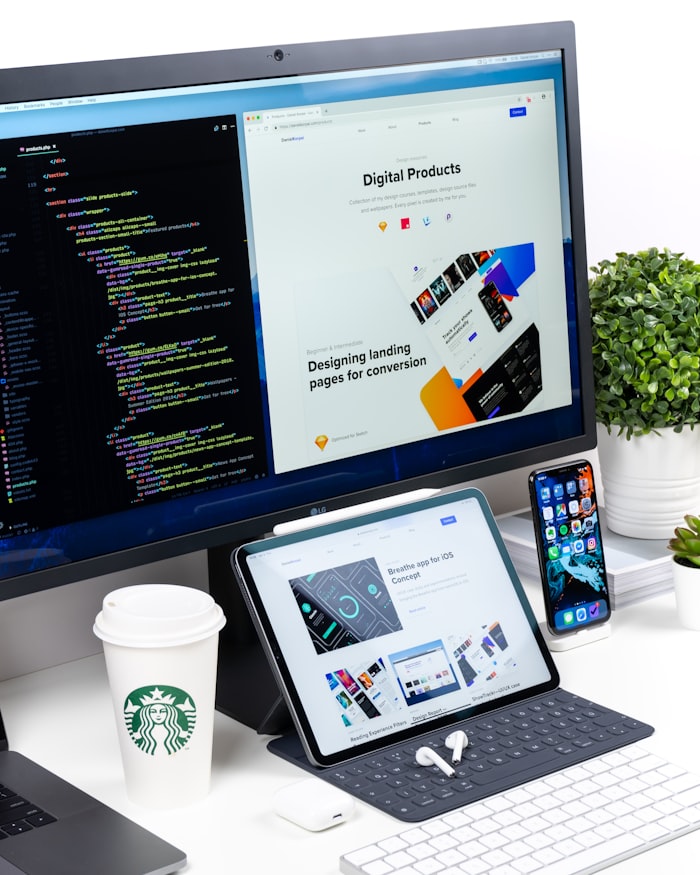
One site, every screen
Desktop, tablet, and phone side by side — the fastest way to prove your design is fully responsive.
<div class="scene-copy">
  <div class="ey">Responsive Trio</div>
  <h3>One site, every screen</h3>
  <p>Desktop, tablet, and phone side by side — the fastest way to prove your design is fully responsive.</p>
</div>

<!-- swap each src for your own screenshot -->
<div class="trio">
  <div class="device desktop">
    <div class="screen"><img src="https://images.unsplash.com/photo-1547658719-da2b51169166?w=700&q=80" alt=""></div>
  </div>
  <div class="device tablet">
    <div class="screen"><img src="https://images.unsplash.com/photo-1547658719-da2b51169166?w=400&q=80" alt=""></div>
  </div>
  <div class="device phone">
    <div class="screen"><img src="https://images.unsplash.com/photo-1547658719-da2b51169166?w=300&q=80" alt=""></div>
  </div>
</div>
/* intro copy shown above the mockup */
.scene-copy { text-align: center; max-width: 560px; margin: 0 auto 28px; padding: 0 10px; }
.scene-copy .ey { font-size: .7rem; font-weight: 700; letter-spacing: .16em; text-transform: uppercase; color: #6366f1; margin-bottom: 8px; }
.scene-copy h3 { font-size: clamp(1.3rem, 2.6vw, 1.9rem); font-weight: 800; line-height: 1.15; letter-spacing: -.01em; color: #111; margin-bottom: 8px; }
.scene-copy p { font-size: .92rem; line-height: 1.55; color: #555; }

.trio {
  display: flex;
  align-items: flex-end;
  justify-content: center;
  gap: 30px;
  flex-wrap: wrap;
}

/* Screens hold the screenshots */
.device .screen {
  border-radius: 5px;
  overflow: hidden;
}
.device .screen img {
  width: 100%;
  height: 100%;
  object-fit: cover;
  display: block;
}

/* Desktop — 16:10 */
.desktop {
  width: 420px;
  background: #222;
  padding: 8px 8px 14px;
  border-radius: 10px 10px 3px 3px;
}
.desktop .screen { aspect-ratio: 16 / 10; }
.desktop::after {
  content: "";
  display: block;
  width: 120px;
  height: 10px;
  margin: 10px auto 0;
  background: #ccc;
  border-radius: 0 0 8px 8px;
}

/* Tablet — 3:4 */
.tablet { width: 200px; background: #222; padding: 10px 8px; border-radius: 18px; }
.tablet .screen { aspect-ratio: 3 / 4; border-radius: 8px; }

/* Phone — 9:19 */
.phone { width: 110px; background: #222; padding: 8px 6px; border-radius: 16px; }
.phone .screen { aspect-ratio: 9 / 19; border-radius: 8px; }
<div class="video-wrap">

  <!-- autoplay + muted + loop is the portfolio trifecta -->
  <!-- swap poster + source for your own -->
  <video autoplay muted loop playsinline poster="https://images.unsplash.com/photo-1551288049-bebda4e38f71?w=900&q=80">
    <source src="https://www.w3schools.com/html/mov_bbb.mp4" type="video/mp4">
  </video>

  <div class="meta">
    <div class="cat">Case Study</div>
    <h3>Watch the interaction, not just the screenshot</h3>
  </div>

</div>
.video-wrap {
  position: relative;
  max-width: 900px;
  border-radius: 14px;
  overflow: hidden;
  box-shadow: 0 20px 50px rgba(0,0,0,.22);
}

video {
  width: 100%;
  aspect-ratio: 16 / 9;
  object-fit: cover;
  display: block;
}

/* Caption overlay at the bottom */
.meta {
  position: absolute;
  bottom: 0;
  left: 0;
  right: 0;
  padding: 24px 28px;
  color: #fff;
  background: linear-gradient(180deg, transparent, rgba(0,0,0,.75));
}
.meta .cat {
  font-size: 11px;
  font-weight: 700;
  letter-spacing: .12em;
  text-transform: uppercase;
  color: #ffd479;
  margin-bottom: 6px;
}
.meta h3 { font-size: 1.4rem; font-weight: 700; }
 Before
After
Before
After
Drag the handle to compare.
<!-- swap before/after for your own images -->
<div class="ba-slider" id="ba-slider">
  <img class="layer before" src="https://images.unsplash.com/photo-1481487196290-c152efe083f5?w=800&q=80" alt="Before">
  <img class="layer after"  src="https://images.unsplash.com/photo-1558655146-9f40138edfeb?w=800&q=80" alt="After">
  <span class="label label-before">Before</span>
  <span class="label label-after">After</span>
  <div class="handle"></div>
</div>
<p style="color:#555;font-size:0.9rem;">Drag the handle to compare.</p>
/* Both images stack, .after is clipped to show half */
.ba-slider {
  position: relative;
  width: 100%;
  max-width: 800px;
  aspect-ratio: 16 / 10;
  overflow: hidden;
  border-radius: 14px;
  box-shadow: 0 20px 50px rgba(0,0,0,.22);
  user-select: none;
}

.layer {
  position: absolute;
  inset: 0;
  width: 100%;
  height: 100%;
  object-fit: cover;
}

/* clip-path draws the reveal line */
.layer.after {
  clip-path: inset(0 0 0 50%);
  transition: clip-path .05s linear;
}

/* corner labels */
.label {
  position: absolute;
  top: 16px;
  padding: 4px 12px;
  border-radius: 999px;
  font-size: 11px;
  text-transform: uppercase;
  background: rgba(0,0,0,.55);
  color: #fff;
}
.label-before { left: 16px; }
.label-after  { right: 16px; }

.handle {
  position: absolute;
  top: 0;
  bottom: 0;
  left: 50%;
  width: 3px;
  background: #fff;
  transform: translateX(-50%);
  cursor: ew-resize;
}

/* the round drag grip in the middle */
.handle::after {
  content: "⇆";
  position: absolute;
  top: 50%;
  left: 50%;
  transform: translate(-50%, -50%);
  width: 40px;
  height: 40px;
  border-radius: 50%;
  background: #fff;
  color: #111;
  display: flex;
  align-items: center;
  justify-content: center;
  font-weight: 700;
  box-shadow: 0 4px 14px rgba(0,0,0,.25);
}
// Drag the handle — updates clip-path on the "after" layer
const ba = document.getElementById('ba-slider');
const after = ba.querySelector('.after');
const handle = ba.querySelector('.handle');
let dragging = false;

const setPos = (x) => {
  const r = ba.getBoundingClientRect();
  const pct = Math.max(0, Math.min(100, ((x - r.left) / r.width) * 100));
  handle.style.left     = pct + '%';
  after.style.clipPath  = `inset(0 0 0 ${pct}%)`;
};

handle.addEventListener('mousedown', () => dragging = true);
window.addEventListener('mouseup',   () => dragging = false);
window.addEventListener('mousemove', e => dragging && setPos(e.clientX));

<div class="split">

  <div class="meta">
    <h3>Luma — Site redesign</h3>
    <p>A warm, editorial rebuild of a lighting brand's site. The scroll shot shows the full page without burying it below the fold.</p>
    <div class="tags">
      <span>Web Design</span>
      <span>Branding</span>
      <span>2026</span>
    </div>
  </div>

  <!-- Fixed-height box, long image scrolls inside -->
  <div class="scroll-frame">
    <!-- swap for your own full-page screenshot -->
    <img src="https://images.unsplash.com/photo-1461749280684-dccba630e2f6?w=600&h=1900&fit=crop&q=80" alt="">
  </div>

</div>
.split {
  display: grid;
  grid-template-columns: 360px 1fr;
  gap: 36px;
  align-items: start;
}

/* Side meta column */
.meta h3 { font-size: 1.9rem; font-weight: 800; margin-bottom: 12px; color: #111; }
.meta p { color: #555; margin-bottom: 14px; font-size: 0.95rem; }
.meta .tags span {
  display: inline-block;
  font-size: 12px;
  padding: 4px 10px;
  border-radius: 999px;
  margin: 3px 4px 3px 0;
  background: #fff;
  color: #555;
  border: 1px solid #d4d4d8;
}

/* The magic: fixed height + overflow-y creates a live scroll */
.scroll-frame {
  height: 540px;
  overflow-y: auto;
  border-radius: 12px;
  box-shadow: 0 15px 40px rgba(0,0,0,.2);
  background: #fff;
}

.scroll-frame img {
  width: 100%;
  display: block;
}

@media (max-width: 800px) {
  .split { grid-template-columns: 1fr; }
}
Luma — A warm, modern identity for a lighting brand
A complete identity and digital system — logo, typography, packaging, photography direction, and a new e-commerce site.
<header class="inner-header">
  <div class="logo">studio.</div>
  <nav class="inner-nav">
    <a href="#">Work</a><a href="#">About</a><a href="#">Contact</a>
  </nav>
</header>

<section class="project-hero">
  <div class="breadcrumb">
    Work <span>/ Luma</span>
  </div>
  <h2 class="project-title">Luma — A warm, modern identity for a lighting brand</h2>
  <p class="project-desc">A complete identity and digital system — logo, typography, packaging, photography direction, and a new e-commerce site.</p>

  <div class="meta-bar">
    <div class="meta-item">
      <small>Client</small><span>Luma Light Co.</span>
    </div>
    <div class="meta-item">
      <small>Year</small><span>2026</span>
    </div>
    <div class="meta-item">
      <small>Services</small><span>Brand, Web, Print</span>
    </div>
    <div class="meta-item">
      <small>Role</small><span>Design Lead</span>
    </div>
  </div>
</section>

<section class="project-image">
  <!-- swap for your own hero image -->
  <img src="https://images.unsplash.com/photo-1556910103-1c02745aae4d?w=1000&q=80" alt="">
</section>
/* Portfolio header: logo + nav */
.inner-header {
  padding: 20px 40px;
  border-bottom: 1px solid #eee;
  display: flex;
  justify-content: space-between;
  align-items: center;
  background: #fff;
  border-radius: 12px 12px 0 0;
}
.logo { font-weight: 800; letter-spacing: -0.02em; color: #111; }
.inner-nav { display: flex; gap: 24px; font-size: 14px; }
.inner-nav a { text-decoration: none; color: #555; }

.project-title {
  font-size: 44px;
  font-weight: 800;
  letter-spacing: -0.03em;
}

/* Horizontal meta strip: client / year / services / role */
.meta-bar {
  display: grid;
  grid-template-columns: repeat(auto-fit, minmax(160px, 1fr));
  gap: 20px;
  padding: 22px 0;
  border-top: 1px solid #eee;
  border-bottom: 1px solid #eee;
}

.meta-item small {
  text-transform: uppercase;
  letter-spacing: 0.12em;
  font-size: 11px;
  color: #888;
}

/* 16:9 hero image keeps layout stable on load */
.project-image img {
  width: 100%;
  aspect-ratio: 16 / 9;
  object-fit: cover;
  border-radius: 14px;
}
Put your work on the big screen
A sleek MacBook-style frame that makes a flat screenshot feel like a real, shipping product.
<div class="scene-copy on-dark">
  <div class="ey">Laptop Mockup</div>
  <h3>Put your work on the big screen</h3>
  <p>A sleek MacBook-style frame that makes a flat screenshot feel like a real, shipping product.</p>
</div>

<div class="laptop">
  <div class="lid">
    <div class="screen">
      <!-- swap for your own image -->
      <img src="https://images.unsplash.com/photo-1558655146-9f40138edfeb?w=900&q=80" alt="">
    </div>
  </div>
  <!-- the metal hinge under the lid -->
  <div class="base"></div>
</div>
/* intro copy shown above the mockup (on a dark background) */
.scene-copy { text-align: center; max-width: 560px; margin: 0 auto 28px; padding: 0 10px; }
.scene-copy .ey { font-size: .7rem; font-weight: 700; letter-spacing: .16em; text-transform: uppercase; color: #6366f1; margin-bottom: 8px; }
.scene-copy h3 { font-size: clamp(1.3rem, 2.6vw, 1.9rem); font-weight: 800; line-height: 1.15; letter-spacing: -.01em; color: #111; margin-bottom: 8px; }
.scene-copy p { font-size: .92rem; line-height: 1.55; color: #555; }
/* on-dark recolors the copy for dark scenes */
.scene-copy.on-dark .ey { color: #7dd3fc; }
.scene-copy.on-dark h3 { color: #fff; }
.scene-copy.on-dark p { color: rgba(255,255,255,.72); }

.laptop { width: 560px; max-width: 100%; }

.lid {
  background: #1a1a1a;
  border-radius: 16px 16px 0 0;
  padding: 12px;
  border: 2px solid #2a2a2a;
  border-bottom: 0;
}
.lid .screen { aspect-ratio: 16 / 10; border-radius: 4px; overflow: hidden; background: #000; }
.lid .screen img { width: 100%; height: 100%; object-fit: cover; display: block; }

/* the hinge base — gradient + a small notch via ::after */
.base {
  height: 16px;
  background: linear-gradient(#e4e4e7, #a1a1aa);
  border-radius: 0 0 14px 14px;
  position: relative;
  box-shadow: 0 20px 40px rgba(0,0,0,.25);
}
.base::after {
  content: "";
  position: absolute;
  top: 0;
  left: 50%;
  transform: translateX(-50%);
  width: 100px;
  height: 7px;
  background: #71717a;
  border-radius: 0 0 8px 8px;
}
Show it in the palm of their hand
A clean phone frame with a notch — ideal for app screens, mobile-first designs, and social posts.
<div class="scene-copy">
  <div class="ey">Phone Mockup</div>
  <h3>Show it in the palm of their hand</h3>
  <p>A clean phone frame with a notch — ideal for app screens, mobile-first designs, and social posts.</p>
</div>

<div class="phone-mock">
  <!-- the camera notch -->
  <div class="notch"></div>
  <div class="screen">
    <!-- swap for your own image -->
    <img src="https://images.unsplash.com/photo-1547658719-da2b51169166?w=400&q=80" alt="">
  </div>
</div>
/* intro copy shown above the mockup */
.scene-copy { text-align: center; max-width: 560px; margin: 0 auto 28px; padding: 0 10px; }
.scene-copy .ey { font-size: .7rem; font-weight: 700; letter-spacing: .16em; text-transform: uppercase; color: #6366f1; margin-bottom: 8px; }
.scene-copy h3 { font-size: clamp(1.3rem, 2.6vw, 1.9rem); font-weight: 800; line-height: 1.15; letter-spacing: -.01em; color: #111; margin-bottom: 8px; }
.scene-copy p { font-size: .92rem; line-height: 1.55; color: #555; }

.phone-mock {
  width: 240px; background: #111;
  border-radius: 36px; padding: 12px; position: relative;
  box-shadow: 0 25px 60px rgba(0,0,0,.32);
}
.notch {
  position: absolute; top: 12px; left: 50%;
  transform: translateX(-50%);
  width: 96px; height: 22px;
  background: #111; border-radius: 0 0 16px 16px; z-index: 2;
}
.screen { aspect-ratio: 9 / 19; border-radius: 26px; overflow: hidden; background: #000; }
.screen img { width: 100%; height: 100%; object-fit: cover; display: block; }
Add depth with a single transform
One CSS perspective turns a flat image into a dynamic, scroll-stopping angle.

Hover the mockup to straighten it.
<div class="scene-copy">
  <div class="ey">3D Tilt</div>
  <h3>Add depth with a single transform</h3>
  <p>One CSS <code>perspective</code> turns a flat image into a dynamic, scroll-stopping angle.</p>
</div>

<!-- the PARENT supplies the perspective -->
<div class="stage">
  <div class="tilt-mock">
    <!-- swap for your own image -->
    <img src="https://images.unsplash.com/photo-1461749280684-dccba630e2f6?w=900&q=80" alt="">
  </div>
</div>

<p class="hint">Hover the mockup to straighten it.</p>
/* intro copy shown above the mockup */
.scene-copy { text-align: center; max-width: 560px; margin: 0 auto 28px; padding: 0 10px; }
.scene-copy .ey { font-size: .7rem; font-weight: 700; letter-spacing: .16em; text-transform: uppercase; color: #6366f1; margin-bottom: 8px; }
.scene-copy h3 { font-size: clamp(1.3rem, 2.6vw, 1.9rem); font-weight: 800; line-height: 1.15; letter-spacing: -.01em; color: #111; margin-bottom: 8px; }
.scene-copy p { font-size: .92rem; line-height: 1.55; color: #555; }
.scene-copy code { background: rgba(99,102,241,.1); color: #4f46e5; padding: 1px 6px; border-radius: 5px; font-size: .85em; }

/* perspective on the parent turns on 3D */
.stage { perspective: 1600px; }
.tilt-mock {
  width: 620px; max-width: 100%;
  border-radius: 14px; overflow: hidden;
  transform: rotateY(-20deg) rotateX(6deg) rotate(1deg);
  box-shadow: 0 50px 90px rgba(0,0,0,.4);
  transition: transform .45s ease;
}
/* straighten on hover */
.tilt-mock:hover { transform: none; }
.tilt-mock img { width: 100%; display: block; }

/* hover hint below the mockup */
.hint { text-align: center; color: #888; font-size: .85rem; margin-top: 14px; }
Let the interaction play
A looping, muted video inside a phone frame shows motion and micro-interactions a screenshot never could.
<div class="scene-copy on-dark">
  <div class="ey">Video Mockup</div>
  <h3>Let the interaction play</h3>
  <p>A looping, muted video inside a phone frame shows motion and micro-interactions a screenshot never could.</p>
</div>

<div class="phone-vid">
  <div class="notch"></div>
  <div class="screen">
    <!-- autoplay + muted + loop = silent demo video; swap for your own -->
    <video autoplay muted loop playsinline poster="https://images.unsplash.com/photo-1551288049-bebda4e38f71?w=400&q=80">
      <source src="https://www.w3schools.com/html/mov_bbb.mp4" type="video/mp4">
    </video>
  </div>
</div>
/* intro copy shown above the mockup (on a dark background) */
.scene-copy { text-align: center; max-width: 560px; margin: 0 auto 28px; padding: 0 10px; }
.scene-copy .ey { font-size: .7rem; font-weight: 700; letter-spacing: .16em; text-transform: uppercase; color: #6366f1; margin-bottom: 8px; }
.scene-copy h3 { font-size: clamp(1.3rem, 2.6vw, 1.9rem); font-weight: 800; line-height: 1.15; letter-spacing: -.01em; color: #111; margin-bottom: 8px; }
.scene-copy p { font-size: .92rem; line-height: 1.55; color: #555; }
/* on-dark recolors the copy for dark scenes */
.scene-copy.on-dark .ey { color: #7dd3fc; }
.scene-copy.on-dark h3 { color: #fff; }
.scene-copy.on-dark p { color: rgba(255,255,255,.72); }

.phone-vid {
  width: 240px; background: #111;
  border-radius: 36px; padding: 12px; position: relative;
  box-shadow: 0 25px 60px rgba(0,0,0,.32);
}
.notch {
  position: absolute; top: 12px; left: 50%;
  transform: translateX(-50%);
  width: 96px; height: 22px;
  background: #111; border-radius: 0 0 16px 16px; z-index: 2;
}
.screen { aspect-ratio: 9 / 19; border-radius: 26px; overflow: hidden; background: #000; }
/* object-fit makes the video fill the screen cleanly */
.screen video { width: 100%; height: 100%; object-fit: cover; display: block; }
Perfect for reading-first layouts
An iPad-style frame with a slim, even bezel — great for editorial sites, menus, and portfolios.
<div class="scene-copy">
  <div class="ey">Tablet Mockup</div>
  <h3>Perfect for reading-first layouts</h3>
  <p>An iPad-style frame with a slim, even bezel — great for editorial sites, menus, and portfolios.</p>
</div>

<div class="tablet-mock">
  <div class="screen">
    <!-- swap for your own image -->
    <img src="https://images.unsplash.com/photo-1547658719-da2b51169166?w=500&q=80" alt="">
  </div>
</div>
/* intro copy shown above the mockup */
.scene-copy { text-align: center; max-width: 560px; margin: 0 auto 28px; padding: 0 10px; }
.scene-copy .ey { font-size: .7rem; font-weight: 700; letter-spacing: .16em; text-transform: uppercase; color: #6366f1; margin-bottom: 8px; }
.scene-copy h3 { font-size: clamp(1.3rem, 2.6vw, 1.9rem); font-weight: 800; line-height: 1.15; letter-spacing: -.01em; color: #111; margin-bottom: 8px; }
.scene-copy p { font-size: .92rem; line-height: 1.55; color: #555; }

.tablet-mock {
  width: 340px; max-width: 100%; background: #111;
  border-radius: 28px; padding: 16px; position: relative;
  box-shadow: 0 25px 60px rgba(0,0,0,.3);
}
/* tiny front camera dot */
.tablet-mock::before {
  content: ""; position: absolute; top: 7px; left: 50%;
  transform: translateX(-50%); width: 6px; height: 6px;
  border-radius: 50%; background: #333;
}
.screen { aspect-ratio: 3 / 4; border-radius: 12px; overflow: hidden; background: #000; }
.screen img { width: 100%; height: 100%; object-fit: cover; display: block; }
Tiny screen, big impression
A smartwatch frame for glanceable UI, notifications, and fitness or companion-app concepts.
<div class="scene-copy">
  <div class="ey">Watch Mockup</div>
  <h3>Tiny screen, big impression</h3>
  <p>A smartwatch frame for glanceable UI, notifications, and fitness or companion-app concepts.</p>
</div>

<div class="watch">
  <div class="band top"></div>
  <div class="body">
    <div class="crown"></div>
    <!-- swap for your own image -->
    <div class="screen"><img src="https://images.unsplash.com/photo-1558655146-9f40138edfeb?w=300&q=80" alt=""></div>
  </div>
  <div class="band bottom"></div>
</div>
/* intro copy shown above the mockup */
.scene-copy { text-align: center; max-width: 560px; margin: 0 auto 28px; padding: 0 10px; }
.scene-copy .ey { font-size: .7rem; font-weight: 700; letter-spacing: .16em; text-transform: uppercase; color: #6366f1; margin-bottom: 8px; }
.scene-copy h3 { font-size: clamp(1.3rem, 2.6vw, 1.9rem); font-weight: 800; line-height: 1.15; letter-spacing: -.01em; color: #111; margin-bottom: 8px; }
.scene-copy p { font-size: .92rem; line-height: 1.55; color: #555; }

/* bands tuck behind the body with negative margins */
.watch { display: flex; flex-direction: column; align-items: center; position: relative; }
.band { width: 98px; height: 48px; background: linear-gradient(#48484a, #2c2c2e); }
.band.top { border-radius: 16px 16px 6px 6px; margin-bottom: -12px; }
.band.bottom { border-radius: 6px 6px 16px 16px; margin-top: -12px; }
.body {
  width: 152px; height: 184px; background: #111;
  border-radius: 44px; padding: 14px; position: relative; z-index: 1;
  box-shadow: 0 18px 40px rgba(0,0,0,.35);
}
/* the digital crown sits on the right edge */
.crown {
  position: absolute; right: -5px; top: 50%; transform: translateY(-50%);
  width: 8px; height: 34px; background: #3a3a3c; border-radius: 3px; z-index: 2;
}
.screen { width: 100%; height: 100%; border-radius: 32px; overflow: hidden; background: #000; }
.screen img { width: 100%; height: 100%; object-fit: cover; display: block; }

<div class="social-card"> <div class="sc-head"> <div class="sc-avatar"></div> <div> <div class="sc-name">yourstudio</div> <div class="sc-handle">Original audio</div> </div> <div class="sc-more">•••</div> </div> <!-- the shared screenshot, square crop — swap for your own --> <div class="sc-img"><img src="https://images.unsplash.com/photo-1461749280684-dccba630e2f6?w=600&q=80" alt=""></div> <div class="sc-actions"> <i class="ph ph-heart"></i><i class="ph ph-chat-circle"></i><i class="ph ph-paper-plane-tilt"></i> <i class="ph ph-bookmark-simple right"></i> </div> <div class="sc-likes">1,204 likes</div> <div class="sc-cap"><b>yourstudio</b> Just launched the new site — built from scratch with HTML & CSS. ✨</div> </div>
.social-card {
  width: 380px; background: #fff;
  border-radius: 16px; overflow: hidden;
  box-shadow: 0 18px 45px rgba(0,0,0,.18);
}
.sc-head { display: flex; align-items: center; gap: 10px; padding: 14px 16px; }
.sc-avatar { width: 40px; height: 40px; border-radius: 50%; background: linear-gradient(135deg,#f472b6,#a855f7); flex-shrink: 0; }
.sc-name { font-weight: 700; font-size: 14px; color: #111; }
.sc-handle { font-size: 12px; color: #888; }
.sc-more { margin-left: auto; color: #888; font-weight: 700; letter-spacing: 1px; }
/* square image is the classic social crop */
.sc-img { aspect-ratio: 1 / 1; background: #000; }
.sc-img img { width: 100%; height: 100%; object-fit: cover; display: block; }
.sc-actions { display: flex; gap: 16px; padding: 12px 16px 4px; font-size: 22px; color: #222; }
.sc-actions .right { margin-left: auto; }
.sc-likes { padding: 2px 16px; font-size: 13px; font-weight: 600; color: #111; }
.sc-cap { padding: 4px 16px 16px; font-size: 13px; color: #333; line-height: 1.5; }
.sc-cap b { color: #111; }
Hang your design on the wall
A matted frame with a soft drop shadow — perfect for print pieces, art prints, and event posters.
<div class="scene-copy">
  <div class="ey">Framed Poster</div>
  <h3>Hang your design on the wall</h3>
  <p>A matted frame with a soft drop shadow — perfect for print pieces, art prints, and event posters.</p>
</div>

<div class="poster-frame">
  <!-- .mat is the white border inside the frame -->
  <div class="mat">
    <!-- swap for your own image -->
    <img src="https://images.unsplash.com/photo-1558655146-9f40138edfeb?w=500&q=80" alt="">
  </div>
</div>
/* intro copy shown above the mockup */
.scene-copy { text-align: center; max-width: 560px; margin: 0 auto 28px; padding: 0 10px; }
.scene-copy .ey { font-size: .7rem; font-weight: 700; letter-spacing: .16em; text-transform: uppercase; color: #6366f1; margin-bottom: 8px; }
.scene-copy h3 { font-size: clamp(1.3rem, 2.6vw, 1.9rem); font-weight: 800; line-height: 1.15; letter-spacing: -.01em; color: #111; margin-bottom: 8px; }
.scene-copy p { font-size: .92rem; line-height: 1.55; color: #555; }

/* dark frame + soft drop shadow on a wall */
.poster-frame {
  background: linear-gradient(135deg, #2c2c2c, #111); padding: 14px;
  border-radius: 3px; max-width: 300px; box-shadow: 0 28px 50px rgba(0,0,0,.45);
}
/* .mat is the white border inside the frame */
.mat { background: #fff; padding: 20px; box-shadow: inset 0 0 0 1px #e6e6e6; }
.mat img { width: 100%; aspect-ratio: 3 / 4; object-fit: cover; display: block; }
Go big and bold outdoors
A wide billboard panel on a sturdy post — great for campaigns, launches, and out-of-home ads.
<div class="scene-copy">
  <div class="ey">Billboard</div>
  <h3>Go big and bold outdoors</h3>
  <p>A wide billboard panel on a sturdy post — great for campaigns, launches, and out-of-home ads.</p>
</div>

<div class="billboard">
  <!-- swap for your own image -->
  <div class="panel"><img src="https://images.unsplash.com/photo-1547658719-da2b51169166?w=800&q=80" alt=""></div>
  <!-- two tall legs raise it off the ground -->
  <div class="legs"><span></span><span></span></div>
  <div class="ground"></div>
</div>
/* intro copy shown above the mockup */
.scene-copy { text-align: center; max-width: 560px; margin: 0 auto 28px; padding: 0 10px; }
.scene-copy .ey { font-size: .7rem; font-weight: 700; letter-spacing: .16em; text-transform: uppercase; color: #6366f1; margin-bottom: 8px; }
.scene-copy h3 { font-size: clamp(1.3rem, 2.6vw, 1.9rem); font-weight: 800; line-height: 1.15; letter-spacing: -.01em; color: #111; margin-bottom: 8px; }
.scene-copy p { font-size: .92rem; line-height: 1.55; color: #555; }

.billboard { width: 560px; max-width: 100%; }
.panel { background: #111; padding: 10px; border: 5px solid #2b2b2b; border-radius: 8px; box-shadow: 0 22px 44px rgba(0,0,0,.32); }
/* wide cinematic crop for outdoor ads */
.panel img { width: 100%; aspect-ratio: 16 / 6; object-fit: cover; border-radius: 2px; display: block; }
/* two tall legs hold the panel up high */
.legs { display: flex; justify-content: space-between; width: 52%; margin: 0 auto; }
.legs span { width: 13px; height: 140px; background: linear-gradient(#9aa0a8, #787e86); }
/* soft shadow on the ground */
.ground { width: 72%; height: 6px; margin: 0 auto; background: rgba(0,0,0,.15); border-radius: 50%; filter: blur(1px); }
+1 (703) 555-0142
studio.com
<div class="bcard front"> <div class="logo">studio.</div> <div class="tag">design & web</div> </div> <div class="bcard back"> <div class="nm">Alex Rivera</div> <div class="rl">Creative Director</div> <div class="line">hello@studio.com<br>+1 (703) 555-0142<br>studio.com</div> </div>
.bcard { width: 300px; aspect-ratio: 1.75 / 1; border-radius: 12px; padding: 24px; box-shadow: 0 18px 40px rgba(0,0,0,.22); display: flex; flex-direction: column; justify-content: center; }
/* tilt each card the opposite way for a stacked feel */
.bcard.front { background: linear-gradient(135deg,#111,#333); color: #fff; transform: rotate(-4deg); }
.bcard.front .logo { font-size: 1.6rem; font-weight: 800; letter-spacing: -0.02em; }
.bcard.front .tag { font-size: .8rem; color: rgba(255,255,255,.6); margin-top: 4px; }
.bcard.back { background: #fff; color: #111; transform: rotate(4deg); }
.bcard.back .nm { font-weight: 700; font-size: 1rem; }
.bcard.back .rl { font-size: .8rem; color: #666; margin-bottom: 12px; }
.bcard.back .line { font-size: .8rem; color: #444; line-height: 1.7; }
Wear your brand
An apparel mockup built from a CSS clip-path — drop a logo on the chest for merch and swag.
<div class="scene-copy">
  <div class="ey">T-Shirt</div>
  <h3>Wear your brand</h3>
  <p>An apparel mockup built from a CSS clip-path — drop a logo on the chest for merch and swag.</p>
</div>

<div class="tee-wrap">
  <!-- shirt shape + neckline + chest print -->
  <div class="tee"></div>
  <div class="collar"></div>
  <!-- swap for your own image -->
  <div class="print"><img src="https://images.unsplash.com/photo-1547658719-da2b51169166?w=300&q=80" alt=""></div>
</div>
/* intro copy shown above the mockup */
.scene-copy { text-align: center; max-width: 560px; margin: 0 auto 28px; padding: 0 10px; }
.scene-copy .ey { font-size: .7rem; font-weight: 700; letter-spacing: .16em; text-transform: uppercase; color: #6366f1; margin-bottom: 8px; }
.scene-copy h3 { font-size: clamp(1.3rem, 2.6vw, 1.9rem); font-weight: 800; line-height: 1.15; letter-spacing: -.01em; color: #111; margin-bottom: 8px; }
.scene-copy p { font-size: .92rem; line-height: 1.55; color: #555; }

/* wrapper anchors the absolutely-positioned collar & print */
.tee-wrap { position: relative; width: 300px; max-width: 100%; }
/* clip-path draws the t-shirt silhouette */
.tee {
  width: 100%; aspect-ratio: 1 / 1.05;
  background: linear-gradient(160deg, #ffffff 0%, #e7e7ee 100%);
  filter: drop-shadow(0 16px 26px rgba(0,0,0,.2));
  clip-path: polygon(35% 6%, 43% 6%, 50% 13%, 57% 6%, 65% 6%, 100% 20%, 89% 44%, 79% 36%, 79% 100%, 21% 100%, 21% 36%, 11% 44%, 0 20%);
}
/* curved crew neckline */
.collar {
  position: absolute; top: 5%; left: 50%; transform: translateX(-50%);
  width: 62px; height: 28px; border: 7px solid #d9d9e0; border-top: 0; border-radius: 0 0 60px 60px;
}
/* multiply makes the print look screen-printed on fabric */
.print {
  position: absolute; top: 33%; left: 50%; transform: translateX(-50%);
  width: 40%; aspect-ratio: 1 / 1; overflow: hidden; border-radius: 4px; mix-blend-mode: multiply;
}
.print img { width: 100%; height: 100%; object-fit: cover; display: block; }
Everything you ship, in one place.
Show the product right next to the pitch. The angled browser frame makes a flat screenshot feel like a real app.
Get Started
<div class="hero-show">
  <div class="hs-text">
    <div class="ey">Introducing</div>
    <h2>Everything you ship, in one place.</h2>
    <p>Show the product right next to the pitch. The angled browser frame makes a flat screenshot feel like a real app.</p>
    <a class="hs-btn" href="#">Get Started</a>
  </div>
  <div class="mini-browser">
    <div class="bar"><span></span><span></span><span></span></div>
    <!-- swap for your own image -->
    <img src="https://images.unsplash.com/photo-1558655146-9f40138edfeb?w=800&q=80" alt="">
  </div>
</div>
/* two columns: copy left, mockup right, on a dark panel */
.hero-show { display: grid; grid-template-columns: 1fr 1.15fr; gap: 40px; align-items: center; background: linear-gradient(135deg, #0f172a, #1e293b); border-radius: 16px; padding: 48px; }
.hs-text .ey { color: #38bdf8; font-size: .72rem; font-weight: 700; letter-spacing: .18em; text-transform: uppercase; }
.hs-text h2 { color: #fff; font-size: clamp(1.6rem, 3vw, 2.4rem); font-weight: 800; line-height: 1.1; margin: 12px 0; }
.hs-text p { color: rgba(255,255,255,.65); font-size: .95rem; line-height: 1.6; margin-bottom: 22px; }
.hs-btn { display: inline-block; background: #38bdf8; color: #08263a; font-weight: 700; padding: 12px 28px; border-radius: 999px; text-decoration: none; }
/* the angle is what sells it */
.mini-browser { border-radius: 10px; overflow: hidden; transform: perspective(1400px) rotateY(-14deg); box-shadow: 0 30px 60px rgba(0,0,0,.45); }
/* browser chrome bar with traffic-light dots */
.mini-browser .bar { background: #e9eaec; height: 28px; display: flex; align-items: center; gap: 6px; padding: 0 12px; }
.mini-browser .bar span { width: 9px; height: 9px; border-radius: 50%; background: #ccc; }
.mini-browser .bar span:nth-child(1) { background: #ff5f57; }
.mini-browser .bar span:nth-child(2) { background: #ffbd2e; }
.mini-browser .bar span:nth-child(3) { background: #28c840; }
.mini-browser img { width: 100%; aspect-ratio: 16 / 10; object-fit: cover; display: block; }
@media (max-width: 760px) { .hero-show { grid-template-columns: 1fr; } }
Designed for your pocket.
- Loads instantly, even on slow networks.
- Smart notifications that actually matter.
- Private by default — your data stays yours.
<div class="feature">
  <!-- swap for your own image -->
  <div class="mini-phone"><img src="https://images.unsplash.com/photo-1547658719-da2b51169166?w=400&q=80" alt=""></div>
  <div class="ft-text">
    <h2>Designed for your pocket.</h2>
    <ul>
      <li><i class="ph ph-lightning"></i> Loads instantly, even on slow networks.</li>
      <li><i class="ph ph-bell"></i> Smart notifications that actually matter.</li>
      <li><i class="ph ph-lock-simple"></i> Private by default — your data stays yours.</li>
    </ul>
  </div>
</div>
.feature { display: grid; grid-template-columns: 1fr 1fr; gap: 44px; align-items: center; background: #faf7ff; border-radius: 16px; padding: 48px; }
.mini-phone { width: 200px; margin: 0 auto; background: #111; border-radius: 30px; padding: 8px; box-shadow: 0 22px 50px rgba(0,0,0,.25); }
.mini-phone img { width: 100%; aspect-ratio: 9 / 19; object-fit: cover; border-radius: 24px; display: block; }
.ft-text h2 { font-size: clamp(1.5rem, 3vw, 2rem); font-weight: 800; color: #1a1a2e; margin-bottom: 16px; }
/* clean vertical list, no bullets */
.ft-text ul { list-style: none; display: flex; flex-direction: column; gap: 14px; }
.ft-text li { display: flex; gap: 12px; font-size: .92rem; color: #444; line-height: 1.5; }
.ft-text li i { color: #a855f7; font-size: 1.3rem; flex-shrink: 0; }
@media (max-width: 760px) { .feature { grid-template-columns: 1fr; } }
One app. Every screen.
Overlap two devices on a bold gradient to show your product works everywhere.


<div class="scene">
  <div class="ey">Now live</div>
  <h2>One app. Every screen.</h2>
  <p>Overlap two devices on a bold gradient to show your product works everywhere.</p>
  <div class="stack">
    <!-- swap for your own image -->
    <div class="browser-lg"><img src="https://images.unsplash.com/photo-1461749280684-dccba630e2f6?w=800&q=80" alt=""></div>
    <!-- phone is absolutely positioned over the corner -->
    <div class="phone-sm"><img src="https://images.unsplash.com/photo-1547658719-da2b51169166?w=200&q=80" alt=""></div>
  </div>
</div>
.scene { position: relative; text-align: center; border-radius: 16px; padding: 52px 30px 90px; overflow: hidden; background: radial-gradient(circle at 50% 0%, #6d28d9, #0f0f1a 70%); }
.scene .ey { color: #c4b5fd; font-size: .72rem; font-weight: 700; letter-spacing: .18em; text-transform: uppercase; }
.scene h2 { color: #fff; font-size: clamp(1.6rem, 3.5vw, 2.6rem); font-weight: 800; margin: 12px 0 8px; }
.scene p { color: rgba(255,255,255,.6); max-width: 440px; margin: 0 auto; font-size: .92rem; }
.stack { position: relative; display: inline-block; margin-top: 36px; }
.stack .browser-lg { width: 460px; max-width: 80vw; border-radius: 10px; overflow: hidden; box-shadow: 0 30px 60px rgba(0,0,0,.5); }
.stack .browser-lg img { width: 100%; aspect-ratio: 16 / 10; object-fit: cover; display: block; }
/* overlap the phone on the browser's corner */
.stack .phone-sm { position: absolute; right: -28px; bottom: -34px; width: 110px; background: #111; border-radius: 20px; padding: 6px; box-shadow: 0 20px 40px rgba(0,0,0,.5); }
.stack .phone-sm img { width: 100%; aspect-ratio: 9 / 19; object-fit: cover; border-radius: 15px; display: block; }
Selected work
A few recent projects.

<div class="showcase"> <h2>Selected work</h2> <p class="sub">A few recent projects.</p> <div class="grid3"> <div class="work"> <div class="thumb"> <div class="bar"><span></span><span></span><span></span></div> <!-- swap for your own image --> <img src="https://images.unsplash.com/photo-1558655146-9f40138edfeb?w=500&q=80" alt=""> </div> <div class="cap">Aurora</div><div class="role">Brand & Web</div> </div> <div class="work"> <div class="thumb"> <div class="bar"><span></span><span></span><span></span></div> <img src="https://images.unsplash.com/photo-1547658719-da2b51169166?w=500&q=80" alt=""> </div> <div class="cap">Northwind</div><div class="role">E-commerce</div> </div> <div class="work"> <div class="thumb"> <div class="bar"><span></span><span></span><span></span></div> <img src="https://images.unsplash.com/photo-1461749280684-dccba630e2f6?w=500&q=80" alt=""> </div> <div class="cap">Lumen</div><div class="role">SaaS Dashboard</div> </div> </div> </div>
/* "Selected work" portfolio section heading */
.showcase { background: #fff; border-radius: 16px; padding: 44px; }
.showcase h2 { font-size: clamp(1.5rem, 3vw, 2rem); font-weight: 800; color: #111; margin-bottom: 6px; text-align: center; }
.showcase .sub { text-align: center; color: #777; font-size: .9rem; margin-bottom: 30px; }
.grid3 { display: grid; grid-template-columns: repeat(3, 1fr); gap: 20px; }
.work .thumb { border-radius: 10px; overflow: hidden; box-shadow: 0 14px 34px rgba(0,0,0,.14); transition: transform .25s; }
/* lift the card on hover */
.work:hover .thumb { transform: translateY(-6px); }
/* browser chrome bar with dots */
.work .thumb .bar { background: #e9eaec; height: 22px; display: flex; align-items: center; gap: 5px; padding: 0 10px; }
.work .thumb .bar span { width: 7px; height: 7px; border-radius: 50%; background: #c4c4c4; }
.work .thumb img { width: 100%; aspect-ratio: 16 / 11; object-fit: cover; display: block; }
.work .cap { font-weight: 700; color: #111; margin-top: 12px; font-size: .95rem; }
.work .role { color: #888; font-size: .82rem; }
@media (max-width: 760px) { .grid3 { grid-template-columns: 1fr; } }